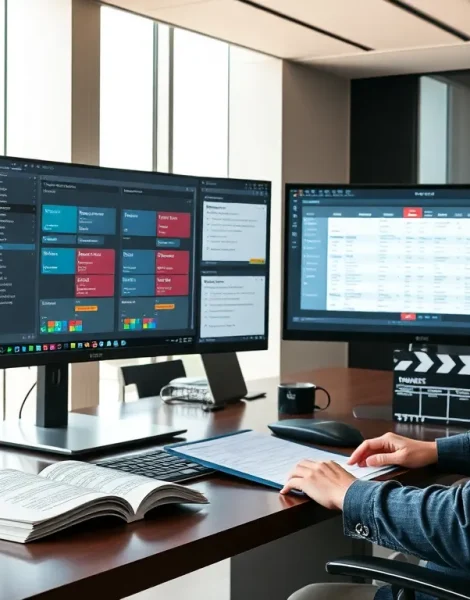
Movie breakdowns tools have become essential for filmmakers who want to analyze scripts and plan productions efficiently. These software solutions help directors, producers, and crew members organize every element of a film, from scenes and characters to props and locations. Whether working on an indie short or a studio feature, the right breakdown tool saves time and reduces costly mistakes during production. This guide covers what these tools do, what features matter most, and which options deserve attention in 2025.
Table of Contents
ToggleKey Takeaways
- Movie breakdown tools automate script analysis, saving filmmakers hours of manual work and reducing costly production errors.
- Essential features to look for include script import flexibility, AI-assisted tagging, report generation, and cloud collaboration capabilities.
- Top movie breakdown tools in 2025 include StudioBinder, Celtx, Movie Magic, Yamdu, and Gorilla Scheduling—each serving different budgets and team sizes.
- Choose breakdown software based on your budget, team size, integration needs, and project complexity.
- Always test multiple movie breakdown tools through free trials before committing to a subscription or purchase.
What Are Movie Breakdown Tools?
Movie breakdown tools are software applications that help filmmakers dissect scripts into their core components. They identify and categorize elements like characters, locations, props, wardrobe, special effects, and stunts. This process, called script breakdown, forms the foundation of pre-production planning.
Traditionally, breakdown work happened on paper. Production assistants would highlight scripts with colored markers, each color representing a different element type. Blue meant stunts. Green meant special effects. Orange indicated vehicles. This manual process took hours and left room for human error.
Movie breakdowns tools automate much of this work. They scan scripts, recognize element categories, and generate organized reports. Some use AI to suggest tags automatically. Others integrate with scheduling and budgeting software to create a connected workflow.
The core purpose remains consistent across all movie breakdowns tools: transform a screenplay into actionable production data. A 120-page script might contain thousands of individual elements. Without proper breakdown software, tracking these details becomes a logistical nightmare.
Filmmakers use these tools at various stages. Writers might run early breakdowns to estimate production costs. Line producers use them to build shooting schedules. Department heads reference breakdown reports to prepare their teams. The data flows through the entire production pipeline.
Top Features to Look for in Breakdown Software
Not all movie breakdowns tools offer the same capabilities. Some focus on basic tagging. Others provide full production management suites. Here are the features that matter most:
Script Import and Formatting
Good breakdown software accepts scripts in multiple formats, Final Draft, PDF, Fountain, and plain text. It should preserve scene headings, action lines, and dialogue correctly. Poor import functions create extra work fixing formatting errors.
Element Tagging System
The tagging interface determines how quickly users can mark elements. Look for drag-and-drop functionality, customizable categories, and keyboard shortcuts. Some movie breakdowns tools offer AI-assisted tagging that suggests elements automatically.
Report Generation
Breakdown reports need to serve multiple departments. The software should produce scene reports, day-out-of-days charts, character breakdowns, and element lists. Export options should include PDF, Excel, and integration with scheduling tools.
Collaboration Features
Modern productions involve teams spread across locations. Cloud-based movie breakdowns tools allow multiple users to work simultaneously. Look for version control, commenting systems, and permission settings.
Integration Capabilities
Breakdown data feeds into scheduling, budgeting, and call sheet software. Tools that connect with programs like Movie Magic Scheduling or StudioBinder streamline the workflow. Isolated software creates data silos that slow production.
Mobile Access
On-set conditions require quick access to breakdown information. Mobile apps or responsive web interfaces let crew members check details from their phones.
Best Movie Breakdown Tools for Filmmakers
Several movie breakdowns tools stand out in the current market. Each serves different needs and budgets.
StudioBinder
StudioBinder offers a cloud-based platform that combines script breakdown with scheduling, call sheets, and shot lists. Its free tier provides basic breakdown features, making it accessible for student and indie projects. The interface is clean and modern. Teams can collaborate in real time.
Celtx
Celtx started as screenwriting software but expanded into full pre-production management. Its breakdown tools integrate tightly with budgeting and scheduling modules. The subscription model works well for productions that need an all-in-one solution.
Movie Magic Budgeting and Scheduling
This industry-standard software has dominated Hollywood productions for decades. Movie Magic offers powerful breakdown capabilities that connect directly to its scheduling and budgeting tools. The learning curve is steep, and the price reflects professional-grade functionality.
Yamdu
Yamdu provides comprehensive production management with strong breakdown features. It excels at team collaboration and works well for international productions. The platform supports multiple languages and currencies.
Gorilla Scheduling
Gorilla focuses specifically on scheduling but includes solid breakdown tools. It offers good value for productions that prioritize calendar management over other features.
Filmmakers should test multiple movie breakdowns tools before committing. Most offer free trials or demo versions.
How to Choose the Right Tool for Your Project
Selecting the best movie breakdowns tools depends on several factors specific to each production.
Budget Constraints
Student films and micro-budget projects can use free tiers from StudioBinder or Celtx. Studio productions justify the cost of Movie Magic. Match the software investment to the overall production budget.
Team Size and Location
Solo filmmakers need different features than 50-person crews. Small teams might prefer simple interfaces. Large productions require permission controls and department-specific views. Remote teams need cloud collaboration.
Integration Requirements
Consider existing workflows. If the production already uses specific scheduling or budgeting software, choose movie breakdowns tools that connect seamlessly. Data migration between incompatible systems wastes time.
Project Complexity
A dialogue-heavy drama has different breakdown needs than an action film with stunts, effects, and multiple locations. Complex productions benefit from advanced categorization and reporting features.
Learning Curve
Time pressure during pre-production limits how much training crews can absorb. Intuitive software gets adopted faster. But, powerful tools often require more initial investment to master.
Many filmmakers develop preferences over time. They stick with familiar movie breakdowns tools across multiple projects. This consistency builds efficiency and reduces errors.